Drapeau de Kirghizistan — Image PNG
Image PNG
Public Domain
| Pays | Kirghizistan |
| Format | Image PNG |
| Licence | Public Domain |
Haute résolution — 1280px
Téléchargement gratuit
Aussi disponible en
Comment utiliser le drapeau Kirghizistan
Canva
- Téléchargez le drapeau Kirghizistan en Image PNG
- Dans Canva : « Importations » → « Importer » → sélectionnez le drapeau Kirghizistan Image PNG
- Glissez le drapeau Kirghizistan sur votre design — redimensionnez et positionnez
PowerPoint
- Téléchargez le drapeau Kirghizistan Image PNG (ratio 4:3 ou 16:9 recommandé)
- Dans PowerPoint : Insertion → Images → sélectionnez le drapeau Kirghizistan Image PNG
- Redimensionnez et positionnez le drapeau Kirghizistan sur la diapositive
Photoshop
- Téléchargez le drapeau Kirghizistan Image PNG
- Dans Photoshop : Fichier → Ouvrir ou glissez le drapeau Kirghizistan Image PNG sur le canevas
- Utilisez le drapeau Kirghizistan comme calque — redimensionnez, masquez, appliquez des effets
Premiere Pro
- Téléchargez le drapeau Kirghizistan Image PNG (ratio 16:9 recommandé pour la vidéo)
- Dans Premiere Pro : Fichier → Importer le drapeau Kirghizistan Image PNG
- Placez le drapeau Kirghizistan sur la timeline — ajustez position et opacité
CapCut
- Téléchargez le drapeau Kirghizistan Image PNG sur votre appareil
- Dans CapCut : « Superposition » → « Ajouter » → sélectionnez le drapeau Kirghizistan Image PNG
- Ajustez taille, position et durée du drapeau Kirghizistan sur la timeline
Google Slides
- Téléchargez le drapeau Kirghizistan Image PNG
- Dans Google Slides : Insertion → Image → Importer → sélectionnez le drapeau Kirghizistan
- Redimensionnez et positionnez le drapeau Kirghizistan sur la diapositive
Figma
- Téléchargez le drapeau Kirghizistan Image PNG
- Dans Figma, glissez le drapeau Kirghizistan Image PNG sur le canevas ou utilisez File → Place Image
- Redimensionnez le drapeau Kirghizistan — utilisez comme remplissage, superposition ou composant
Word / Google Docs
- Téléchargez le drapeau Kirghizistan Image PNG
- Dans Word ou Google Docs : Insertion → Image → sélectionnez le drapeau Kirghizistan
- Redimensionnez le drapeau Kirghizistan et ajustez l'habillage du texte
Questions fréquentes
Le drapeau Kirghizistan Image PNG est-il gratuit ?
Oui. Le drapeau Kirghizistan Image PNG sur OnlyGames est 100% gratuit. Sans inscription ni paiement. Domaine public.
Puis-je utiliser le drapeau Kirghizistan Image PNG sur YouTube ?
Oui. Ce drapeau Kirghizistan est dans le domaine public. Vous pouvez l'utiliser librement dans vos vidéos, miniatures, présentations et tout autre usage.
Quelles tailles sont disponibles pour le drapeau Kirghizistan Image PNG ?
Le drapeau Kirghizistan PNG est disponible en 4 tailles : 4:3 (1280×960), 16:9 (1280×720), 3:2 (1280×853), 1:1 (1024×1024). Haute résolution.
Puis-je utiliser le drapeau Kirghizistan Image PNG à des fins commerciales ?
Oui. Le drapeau Kirghizistan est dans le domaine public. Vous pouvez l'utiliser pour des projets commerciaux, applications, produits et publicité.
Plus de drapeaux
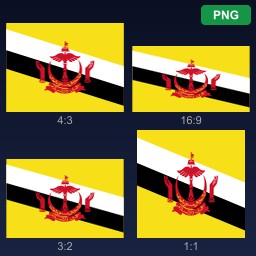
Brunei
Flag of Brunei Darussalam
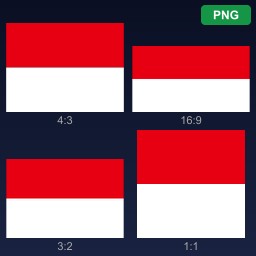
Indonésie
Flag of Indonesia
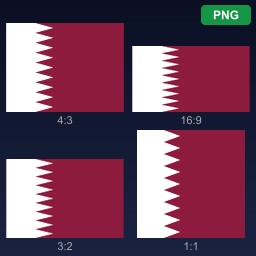
Qatar
Flag of Qatar
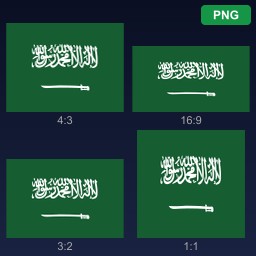
Arabie saoudite
Flag of Saudi Arabia
Espagne
Flag of Spain
Malaisie
Flag of Malaysia
Koweït
Flag of Kuwait
Kosovo
Flag of Kosovo
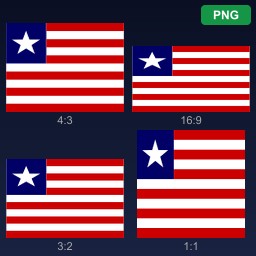
Liberia
Flag of Liberia
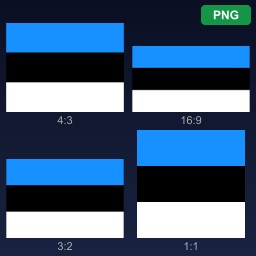
Estonie
Flag of Estonia
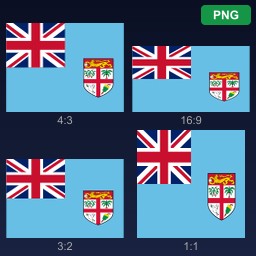
Fidji
Flag of Fiji
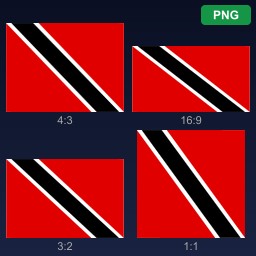
Trinité-et-Tobago
Flag of Trinidad and Tobago