Flag of Liechtenstein — SVG Vector
SVG Vector
Public Domain
| Country | Liechtenstein |
| Format | SVG Vector |
| License | Public Domain |
Vector — scalable to any size
Free Download
Also available
How to Use the Liechtenstein Flag
Canva
- Download the Liechtenstein flag SVG Vector
- In Canva, click "Uploads" → "Upload files" and select the Liechtenstein flag SVG Vector
- Drag the Liechtenstein flag onto your design — resize and position as needed
PowerPoint
- Download the Liechtenstein flag SVG Vector (4:3 or 16:9 ratio recommended)
- In PowerPoint, go to Insert → Pictures → select the Liechtenstein flag SVG Vector
- Resize and position the Liechtenstein flag on your slide
Photoshop
- Download the Liechtenstein flag SVG Vector
- In Photoshop, go to File → Open or drag the Liechtenstein flag SVG Vector onto the canvas
- Use the Liechtenstein flag as a layer — scale, mask, or apply effects freely
Premiere Pro
- Download the Liechtenstein flag SVG Vector (16:9 ratio recommended for video)
- In Premiere Pro, import the Liechtenstein flag SVG Vector via File → Import
- Place the Liechtenstein flag on the timeline as an overlay — adjust position and opacity
CapCut
- Download the Liechtenstein flag SVG Vector to your device
- In CapCut, tap "Overlay" → "Add overlay" and select the Liechtenstein flag SVG Vector
- Resize, reposition, and adjust the Liechtenstein flag duration on the timeline
Google Slides
- Download the Liechtenstein flag SVG Vector
- In Google Slides, go to Insert → Image → Upload from computer → select the Liechtenstein flag
- Resize and position the Liechtenstein flag on your slide
Figma
- Download the Liechtenstein flag SVG Vector
- In Figma, drag the Liechtenstein flag SVG Vector file onto the canvas or use File → Place Image
- Resize the Liechtenstein flag and use it as a fill, overlay, or component
Word / Google Docs
- Download the Liechtenstein flag SVG Vector
- In Word or Google Docs, go to Insert → Image/Picture → select the Liechtenstein flag
- Resize the Liechtenstein flag and adjust text wrapping as needed
Frequently Asked Questions
Is the Liechtenstein flag SVG Vector free to download?
Yes. The Liechtenstein flag SVG Vector on OnlyGames is 100% free to download. No registration or payment required. The image is public domain.
Can I use the Liechtenstein flag SVG Vector on YouTube?
Yes. This Liechtenstein flag image is in the public domain and can be used freely in YouTube videos, thumbnails, presentations, and any other purpose without copyright issues.
What sizes are available for the Liechtenstein flag SVG Vector?
The Liechtenstein flag SVG is available in 4 aspect ratios: 4:3 (standard), 16:9 (widescreen), 3:2 (print), and 1:1 (square). As vector files, they can be scaled to any size without quality loss.
Can I use the Liechtenstein flag SVG Vector for commercial purposes?
Yes. The Liechtenstein flag is in the public domain. You can use it freely for commercial projects, apps, merchandise, advertising, and any other purpose.
More Flags
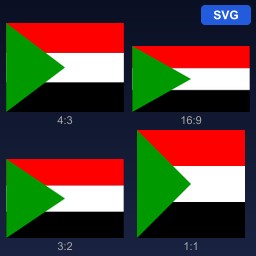
Sudan
Flag of Sudan
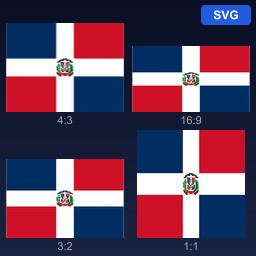
Dominican Republic
Flag of Dominican Republic
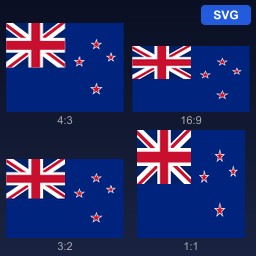
New Zealand
Flag of New Zealand
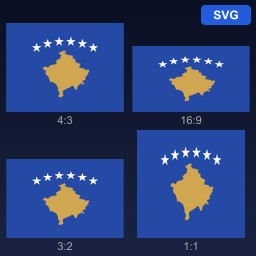
Kosovo
Flag of Kosovo
Norway
Flag of Norway
Czechia
Flag of Czechia
Netherlands
Flag of Netherlands, Kingdom of the
Lebanon
Flag of Lebanon
Germany
Flag of Germany
United Kingdom
Flag of United Kingdom of Great Britain and Northern Ireland
Australia
Flag of Australia
Mexico
Flag of Mexico