60 Seconds Countdown Timer | Black Screen
62s
1920×1080
Public Domain
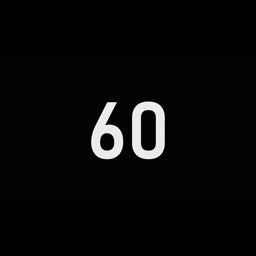
| Duration | 62s |
| Resolution | 1920×1080 |
| Orientation | landscape |
| Format | MP4 + GIF |
| License | Public Domain |
Free Download
MP4 Video (1920×1080)
⬇ Free DownloadSquare GIF
⬇ Free DownloadCircle GIF
⬇ Free DownloadCircle Transparent GIF
⬇ Free DownloadOutline Transparent GIF
⬇ Free DownloadHow to Use This Countdown Timer
YouTube
- Download the 60 Seconds Countdown Timer | Black Screen MP4
- Import into your video editor and add to the timeline
- Place at the start or before key moments in your YouTube video
CapCut
- Download the 60 Seconds Countdown Timer | Black Screen MP4 or GIF
- In CapCut, tap Overlay → Add overlay → select the countdown file
- Position on the timeline and adjust size
PowerPoint
- Download the 60 Seconds Countdown Timer | Black Screen MP4 or GIF
- In PowerPoint, go to Insert → Video/Picture → select the file
- Set to play automatically during your presentation
Canva
- Download the 60 Seconds Countdown Timer | Black Screen MP4
- In Canva, click Uploads → Upload files → select the countdown
- Drag onto your video design and trim as needed
Premiere Pro
- Download the 60 Seconds Countdown Timer | Black Screen MP4
- In Premiere Pro, import via File → Import
- Place on the timeline as an overlay layer
Frequently Asked Questions
Is this 60 Seconds Countdown Timer | Black Screen free to download?
Yes. This countdown timer video is 100% free. No registration or payment required. No copyright restrictions.
Can I use this 60 Seconds Countdown Timer | Black Screen in my YouTube video?
Yes. This countdown timer is free to use in any YouTube video, including monetized content. No copyright claims.
Can I use this 60 Seconds Countdown Timer | Black Screen for commercial purposes?
Yes. This countdown timer is free for commercial use — presentations, ads, apps, live streams, and any other purpose.
More Timers
 0:12
0:12
10 Seconds Countdown Timer | Black Screen
10 Seconds Countdown Timer | Black Screen
 0:12
0:12
10 Seconds Countdown Timer | Blue Screen
10 Seconds Countdown Timer | Blue Screen
 0:12
0:12
10 Seconds Countdown Timer | Green Screen
10 Seconds Countdown Timer | Green Screen
 0:12
0:12
10 Seconds Countdown Timer | Pink Screen
10 Seconds Countdown Timer | Pink Screen